
When a signed-in Explorer shows a Host runtime error while reading a folder or path, preserve the message before trying to recover. On the current error screen, the visible top-bar controls may be only Back and Add Folder; do not expect an Oysterun menu or Refresh Page there. Select Back once. Recovery succeeds when the same Session chat returns with the expected checkpoint history and a usable composer.
1. Confirm that this is the right recovery path
Use this page only when all of these statements are true:
- You are signed in to the intended Host, and Explorer is still visible.
- A page-level error box or failed-request message appeared while Explorer was opening or reading a folder, path, or list.
- No save, create, delete, send, start, stop, restart, update, provider, Loop, or Scheduler change is running.
2. Preserve the visible error before leaving
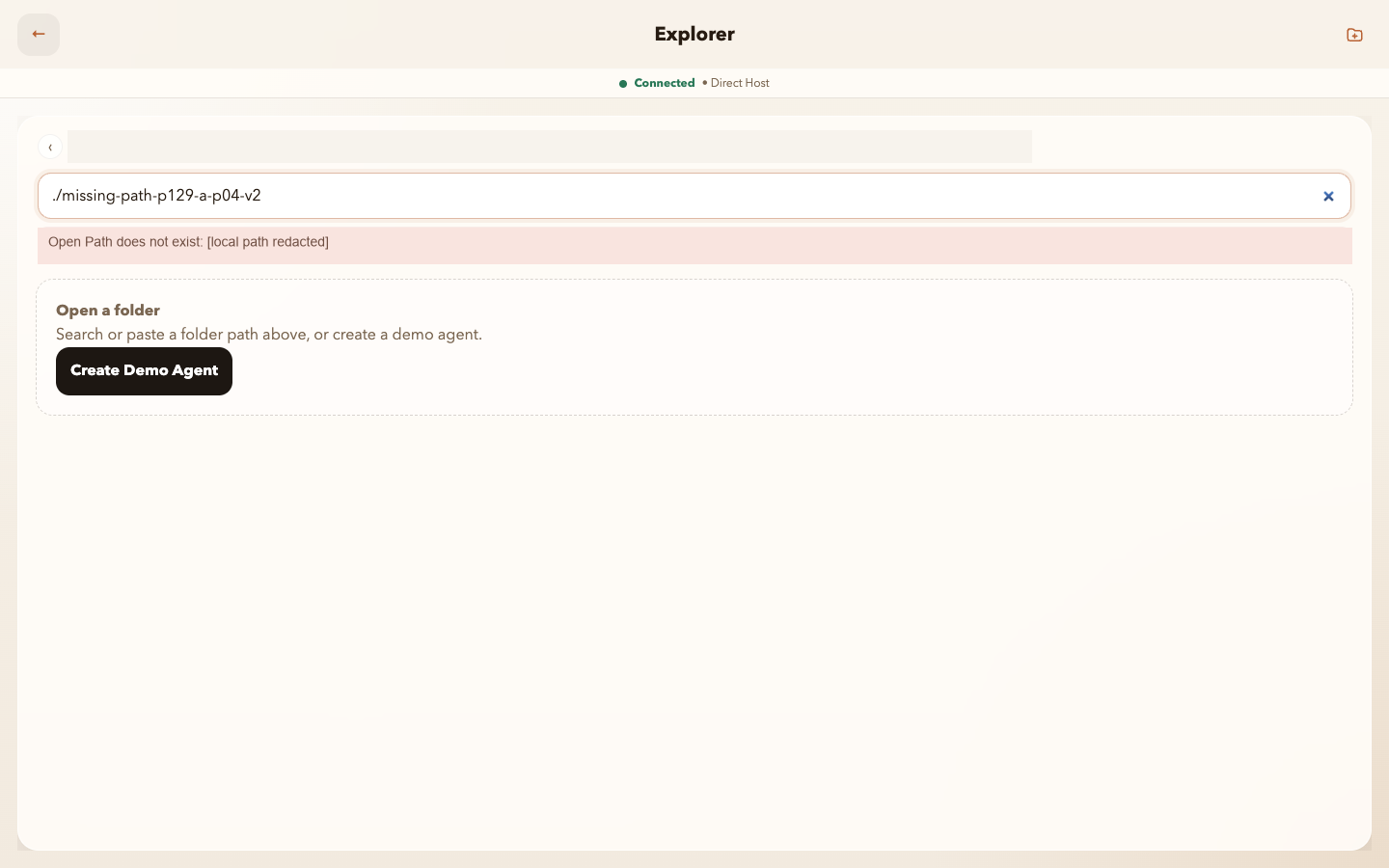
./missing-path-p129-a-p04-v2, the read-only message Open Path does not exist: [local path redacted], and visible Back; no private parent path is exposed.Inspect full-size screenshot
- Stop selecting the control that failed. Leave the error visible long enough to record it.
- Record the screen and control you used, the exact visible message, your local time and time zone, and whether Explorer still responds to visible controls.
- Decide whether the failed action only read information or might have changed state. If you are not certain, classify it as a possible change.
- If you take a screenshot, crop or mask passwords, tokens, cookies, private Host addresses, capability links, full local paths, Session identities, and private message content. If safe redaction is uncertain, record a short written summary instead.
Checkpoint: you can describe what visibly failed without using logs, an internal status URL, a terminal, or hidden implementation details.
3. Decide whether it is safe to use Back
Safe to use Back once
The error occurred while Explorer was only reading a folder, path, or list; no change is pending; and the visible Back control still responds.
Stop with an unknown result
The failed action could save, create, delete, send, start, stop, restart, update, authenticate, schedule, or otherwise change state. Do not select it again, use Back as proof of its outcome, or use refresh to guess whether it succeeded.
If the result is unknown, preserve the error and current screen, then ask the Host owner to check the original action. That is already a terminal, user-understandable result; guessing or repeating the action is not recovery.
4. Return to the same Session chat with Back once
- Select the visible Back control once. Do not look for an Oysterun menu or Refresh Page on the Explorer error screen; the current error route does not expose them.
- Wait for the same signed-in Session chat to become stable. Do not open a different Session as a substitute.
- Confirm that the expected checkpoint history is present. Do not resend the checkpoint or the failed path.
- Confirm that the composer is visible and usable. You do not need to type or send another message.
Checkpoint: the same Session chat, expected checkpoint history, and usable composer are the complete Recovered endpoint. Leaving the error route does not replay the failed request.
5. Use Refresh Page only when it is actually visible
Refresh Page is optional and is never required for the proven successful endpoint. If Back returns the same Session chat with its expected history and usable composer, finish as Recovered without refreshing. Consider this fallback only if Back instead returns a stable signed-in dashboard with a read-only display problem and the visible Oysterun menu contains Refresh Page.
- If the same Session chat, expected history, and composer are already usable, do not refresh; continue to the verdict.
- If Back instead returned a stable dashboard with a read-only display problem and the visible Oysterun menu contains Refresh Page, select it at most once. The control may show Refreshing... while pending.
- Wait for that stable dashboard route to return and become usable. If the expected Session chat still is not available, finish as Not recovered.
- If the menu or Refresh Page is not visible, skip this fallback. Do not use browser reload, search hidden controls, repeat the failed request, or claim that the error route itself refreshed.
Expected boundary: a visible Refresh Page reloads the stable route on which it appears. It does not promise same-route recovery for the Explorer error screen, repair configuration, replay a failed action, restart the Host, or prove that an earlier change succeeded.
6. End with one visible verdict
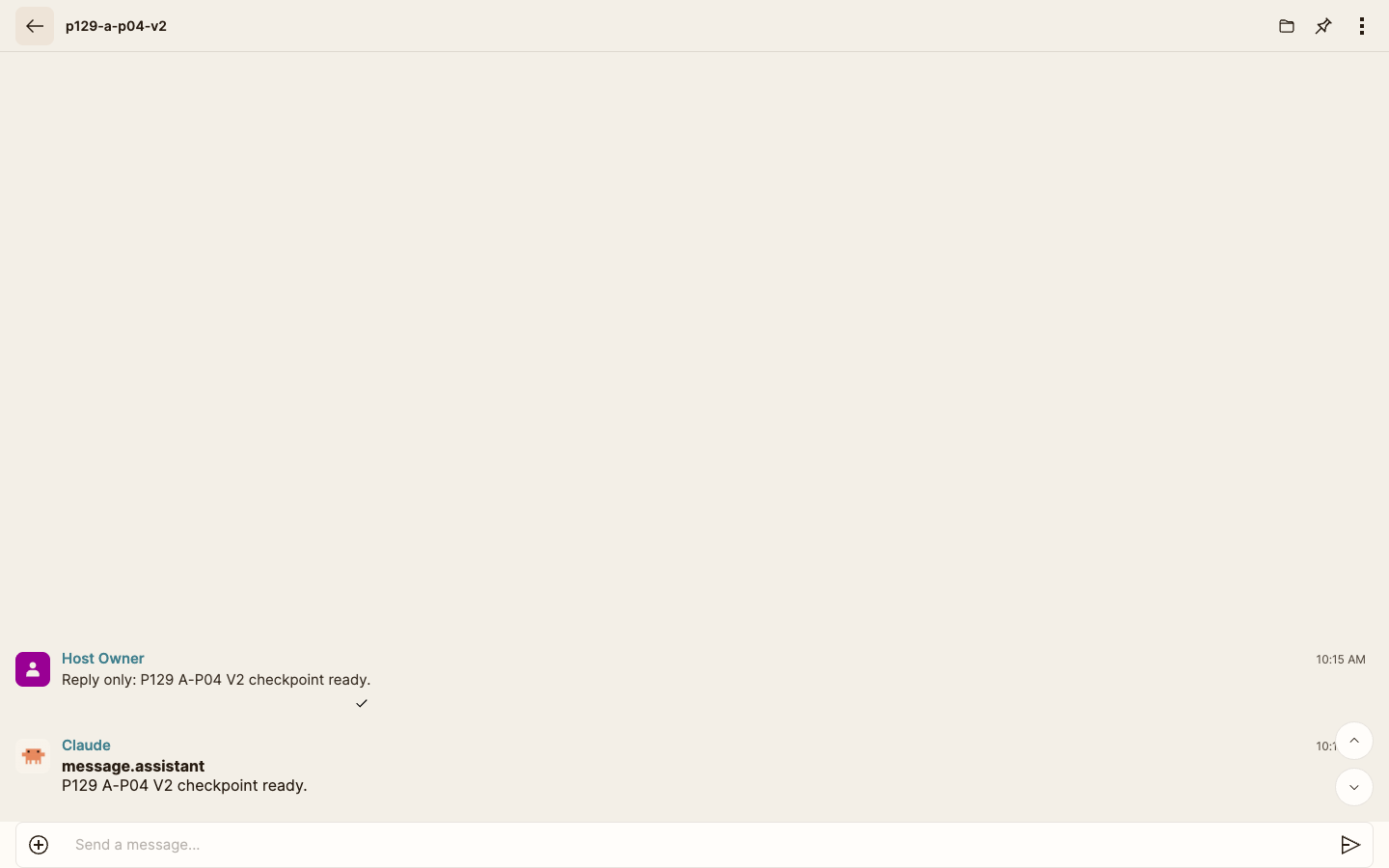
p129-a-p04-v2 shows its expected single checkpoint request and response with a usable Send a message... composer; no Connected indicator is required.Inspect full-size screenshot
Recovered
One visible Back returned the same Session chat, its expected checkpoint history is present, and its composer is usable. No Explorer re-entry, folder or list load, refresh, reload, or repeated request is required.
Stop—not recovered
Back did not return the same Session chat, its expected checkpoint history is missing, its composer is unusable, or the same or a different runtime error appeared after the single bounded path. Stop here. Do not enter a Back, refresh, or request loop.
Stop—unknown; do not repeat
The original action may have changed state, the returned screen cannot prove its outcome, or the Host identity is uncertain. Do not repeat the action. Give the preserved details to the Host owner.
7. Make a safe Host-owner handoff
For a Not recovered or Unknown verdict, provide only:
- the Oysterun screen and visible control involved;
- a safely redacted error message;
- the local time and time zone;
- whether the operation was read-only or may have changed state;
- whether Back returned the same Session chat, whether the expected checkpoint history was present, and whether the composer was usable; and
- whether Refresh Page was visibly available, whether you used it once, and what appeared afterward.
Do not publish a full local path merely because an error shows it. Do not share credentials, private origins, capability links, Session identifiers, or transcript content.
Know the hard stop
- The error names an invalid settings file or parse failure: Back or refresh cannot repair the file. Preserve a redacted message and ask the owner of that exact Host or file to resolve it. Do not hand-edit a file you do not own.
- The error concerns optional diagnostic evidence: do not assume the product action failed. Judge the action only by its own visible result and report the diagnostic error separately.
- The Host page is unavailable or the Host exited: this dashboard path cannot recover the process. A Host restart requires current permission naming the exact Host and restart action; this article does not grant that permission or instruct a restart.
- The same Session chat is not usable after the bounded Back path: stop with Not recovered. Do not open internal runtime-status addresses, inspect service logs, edit configuration, run a CLI command, or improvise another lifecycle action from this guide.
Safe stop: one preserved error, one Back action, one check of the same Session chat, expected history, and composer, at most one eligible and visibly available Refresh Page fallback, one visible terminal verdict, and no repeated or unauthorized mutation.