Use a fresh login QR code when you want to connect the Oysterun phone App again. A QR code is a square pattern the phone camera can scan.
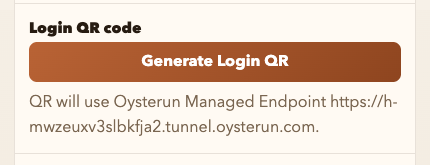
Generate a new login QR code
- Choose Host Preferences under OYSTERUN. On a phone, open the top-left >| drawer first. Then open Connection.
- Under Login QR code, choose Generate Login QR.
- In the phone App, choose Scan QR code and scan it.
The QR expires after 15 minutes. Generate another one if it expires. Never share the QR: it contains temporary sign-in information.
When the App connects, it opens the same Host and Sessions as your browser. If Generate Login QR is unavailable, wait until Managed Tunnel Status shows Ready, then try again. For the full browser and phone sign-in path, see Sign in and pair the phone App.