
Daily telemetry sends Oysterun feature-use counts once a day to help improve the product. It does not include conversation content, prompts, files, file paths, terminal output, project names, credentials, or secrets. This setting is optional.
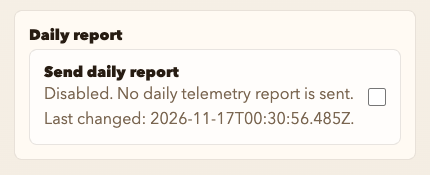
Change the daily report setting
- Choose Host Preferences under OYSTERUN. On a phone, open the top-left >| drawer first.
- Find Help improve Oysterun? → Daily report.
- Turn Send daily report on or off.
- Choose Save.
When it is on, the status says Enabled. Oysterun sends one daily aggregate report. When it is off, it says Disabled. No daily telemetry report is sent. If saving fails, leave the switch at its previous state and report the visible error and Oysterun version in Oysterun Issues, without passwords or login tokens.